Starlink is satellite internet: it connects you to the internet through satellites rather than a phone line or a nearby mobile mast. Your phone, laptop and other devices then connect over Wi-Fi, much as they would to an ordinary broadband router.
For motorhomes, caravans, campervans and mobile units, the attraction is being able to take an internet connection to places where campsite Wi-Fi or 4G/5G lets you down. You still need suitable power, a clear view of the sky and a service plan that permits your location and intended use. Residential plans are for a fixed home address; portable use needs an appropriate travel or business service.
This guide helps you decide whether 5G is enough, when Starlink is worth considering, which dish to choose and how easy it is to set up. Starlink Mini, introduced below, is the compact dish with Wi-Fi built in.
Our experience at Potters Creek Park in rural Texas, USA: we used Starlink in an RV and spent just a few minutes completing setup in the app. The app’s alignment tools became available after about 10 minutes, and within 15 minutes we were seeing download speeds above 200 Mbps. That is our experience at that location, not a guaranteed speed or setup time; your kit, sky view, network conditions and any updates can affect the result.
Information and UK prices checked on 24 October 2026. This guide contains advertising referral links; qualifying signups earn us a reward.
5G or Starlink for mobile internet?
If 4G or 5G already works well at your usual locations, you may not need satellite internet. Try a phone hotspot or a suitable mobile broadband router first. Starlink becomes more interesting when you regularly stop where mobile coverage is poor, unpredictable or unavailable.
| Question | 4G/5G mobile internet | Starlink |
|---|---|---|
| What does it need? | A mobile signal, suitable SIM/data plan and a phone or cellular router. | Active service, power and a clear sky view for the satellite dish. |
| Daily setup | A phone hotspot is very simple; a fitted router can stay ready in the vehicle. | A portable dish needs placing and powering at each stop unless professionally mounted. |
| Where can it struggle? | Weak coverage, metal vehicle bodies and congestion on the mobile network. | Trees, roofs and other obstructions, satellite-network congestion or loss of power. |
| Running costs | Compare the SIM allowance, roaming rules and router cost; an existing phone plan may be enough. | Allow for hardware, the subscription, power and any optional mount or extra networking. |
| When is it a good fit? | Trips and pitches with dependable coverage on your chosen mobile network. | Locations with open sky where local mobile internet is unreliable. |
Before buying, compare networks at your regular stops using Ofcom’s Map Your Mobile checker, then test on location. Coverage predictions are a guide rather than a guarantee.
There is no universal winner for speed. A strong 5G connection can be excellent; a weak signal or busy cell can be frustrating. Starlink avoids depending on that local mobile mast, but it also shares network capacity and is not immune to congestion. Test the locations that matter to you rather than choosing from a headline “up to” speed.
Our practical choice: start with mobile internet if it meets your needs. Consider Mini for personal travel into coverage gaps. For a business that cannot easily trade without connectivity, assess an authorised Starlink business setup alongside a separate cellular connection. Automatic switching between them requires a suitable router and configuration; simply owning both does not provide automatic failover.
Which mobile internet setup fits your way of travelling?
Motorhome and caravan holidays
If you normally use well-served campsites, compare the existing site Wi-Fi and mobile coverage first. Starlink is more attractive when you regularly meet patchy reception and can place the dish with a clear sky view. Check whether your preferred pitch is under trees before relying on satellite internet.
Van dwellers and longer trips
For van life, think beyond a weekend speed test: account for everyday data use, the subscription, your battery capacity and where the dish will live. Mini is compact, but it still needs power and an appropriate position each time you stop. Heavy downloads and streaming can make a limited high-speed allowance less suitable than it first appears.
Remote working also depends on upload performance, interruptions and local Wi-Fi coverage, not just the headline download speed. Test the applications you use and consider a separate mobile connection for places where satellite reception is obstructed.
Trading vans and touring teams
Coffee vans, catering trailers and professional concert road teams should check a service that permits business use. Choose the kit and network around the operation: private staff and POS connections, optional guest access, suitable power and a tested fallback. Our mobile-business Wi-Fi guide explains that checklist.
Start with the help you need
- How to set up Starlink Mini — what to unpack, where to place it and how to get online.
- How to pause and restart Starlink Roam — paid Standby Mode and seasonal use.
- Wi-Fi for coffee vans, catering trailers and touring teams — POS, guests and backup connectivity.
Which dish: Mini, Standard or Performance?
Starlink Mini: the compact all-in-one option
Mini combines the satellite terminal and Wi-Fi router in one portable unit, designed to pack away easily between stops. It is the compact option we would look at first for a simple personal motorhome or camping setup, particularly when storage space and battery energy matter.
Its integrated Wi-Fi is enough for many small setups near the dish. You do not need to run a separate router just to connect a phone or laptop. A metal vehicle body can reduce the signal inside, so test the actual location before deciding whether an indoor router or access point is needed. See the our Mini kit and setup checklist and our guide to Wi-Fi coverage inside a vehicle.
Standard kits: more equipment to place and connect
A Standard kit normally uses a separate indoor router and its associated connections. This suits a home or a more permanent installation. Check the equipment listed in the order: a Router Mini is a router, not the satellite dish called Starlink Mini. A Roam plan does not automatically mean you will receive a Mini dish.
Performance: for a more demanding installation
For a professionally installed touring vehicle or a demanding remote business location, investigate the Performance range. It is designed for harsh environments and mobile installations, with an external power supply and network connection. It is a different proposition from carrying a lightweight Mini in a bag. Match hardware, mounting and the service plan to the job.
How easy is Starlink Mini to set up?
A basic portable Mini setup involves checking the sky view, connecting suitable power, joining its Wi-Fi and following the app. Account activation, updates and obstructions can affect how long it takes.
Follow our Starlink Mini setup walkthrough for the complete sequence, alignment and troubleshooting. That guide also explains checking Wi-Fi inside a vehicle.
What is it like each time you stop?
Once you have set up your Wi-Fi name and password, your usual devices can reconnect to that network when it is available. At the next pitch, the practical routine is to find a clear position, put the kit out, connect the power and check the app. You do not need to arrange a new broadband installation at every stop.
Try the kit at home before the first trip. Learn where the connections go, check the app and pack it together, so the first live setup is familiar. Allow startup time before you need to take a payment or join a meeting.
Where satellite internet makes sense
- Motorhomes, caravans and campervans: trip planning, remote working, video calls and entertainment where your pitch has a clear sky view.
- Coffee vans and catering trailers: online ordering, stock systems and Wi-Fi-capable point-of-sale equipment, using a suitable business service.
- Concert road teams and touring crews: crew communications, advancing the next venue, schedules, accommodation, invoices and production-office administration.
- Mobile offices and support units: access to cloud documents when moving between sites.
- Customer Wi-Fi: a complimentary hotspot at a mobile trading pitch, with the correct service permissions and separation from your private equipment.
It is a useful alternative connection, rather than a promise of continuous service everywhere. Buildings, trees, crowded network cells, power interruptions and the position of the dish all matter. A dish under a metal awning or inside a closed van is a poor starting point.
Residential, Roam or business: which do you need?
One home address? Compare Residential. Personal trips between locations? Compare Roam. Taking payments, operating a trading van or running professional touring operations? Check the business service options. The small portable dish and the monthly service are separate choices.
| Option | Monthly service | Main distinction |
|---|---|---|
| Residential 100 Mbps | £40 | Personal home use at a fixed address; download speed capped at 100 Mbps. |
| Residential 200 Mbps | £60 | Personal home use at a fixed address; download speed capped at 200 Mbps. |
| Residential Max | £80 | Personal home use with maximum available Residential speeds. |
| Roam 100GB | £55 | Personal travel; 100GB of high-speed data per billing cycle, then unlimited low-speed data. |
| Roam Unlimited | £100 | Personal travel with unlimited high-speed data, subject to service restrictions and network conditions. |
These are service prices, not a total installed cost. Hardware, delivery, rental arrangements, promotions and location-specific charges can change the order total. Some Residential options are only available in selected areas. Check the current UK plans for your address.
Home and Roam describe service plans, not dish models. Do not assume every Roam order includes a Mini or that a home kit can simply be moved between trading pitches. Select the exact kit as well as the appropriate plan. International travel and in-motion use have separate location, hardware and service restrictions. Our RV experience was in Texas; this guide’s prices and buying comparisons are for UK readers. A UK-owned kit is not an unrestricted worldwide subscription: overseas use depends on authorised coverage, compatible hardware and the current travel rules of your chosen plan.
Read the current service-plan descriptions and terms during Starlink’s order process, including the rules on business use, hotspots and authorisation.
Free customer Wi-Fi and a separate network for POS
A trading van needs more than an internet subscription: private payment equipment, customer access and a fallback connection have different requirements. Confirm a permitted business service and separate customer devices from private equipment.
Use the mobile-business Wi-Fi checklist for guest separation, POS requirements, coverage and backup planning.
Concert road teams, festivals and production units
Touring offices and support vehicles can assess Starlink as an administration connection using a suitable service. Large public networks, broadcast links and show-critical systems need their own capacity and resilience planning.
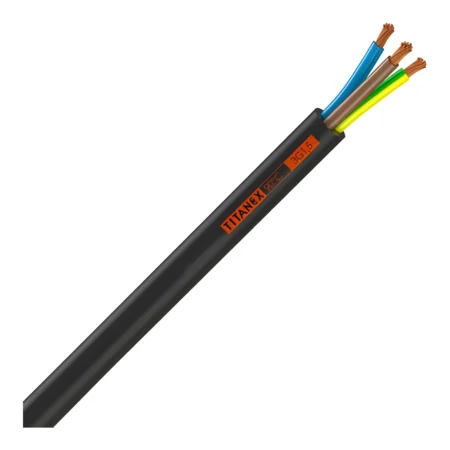
The business and touring Wi-Fi guide covers the network questions; the event power guide covers the associated cable specification.
Powering Starlink at a pitch or on the road
With Mini’s built-in Wi-Fi, the basic portable arrangement is the dish plus its power connection. Use the supplied mains power supply where a suitable mains outlet is available, or a manufacturer-compatible DC or USB-C arrangement. An ordinary phone charger is not automatically suitable.
At the published typical 25–40W, running Mini for eight hours represents roughly 200–320Wh at the device, before conversion losses and other equipment. This is a planning calculation, not a battery-runtime guarantee or a maximum power rating. Follow the exact kit’s input and accessory specifications.
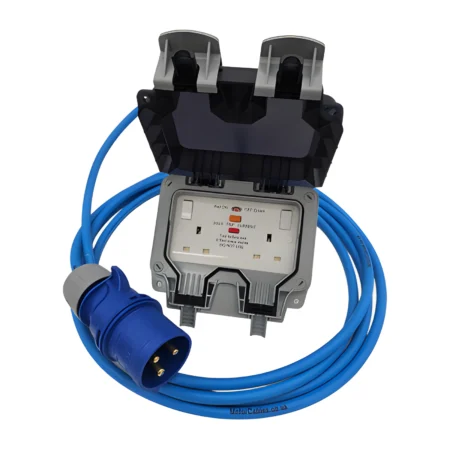
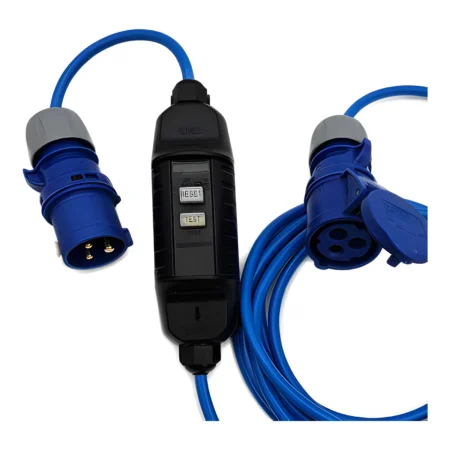
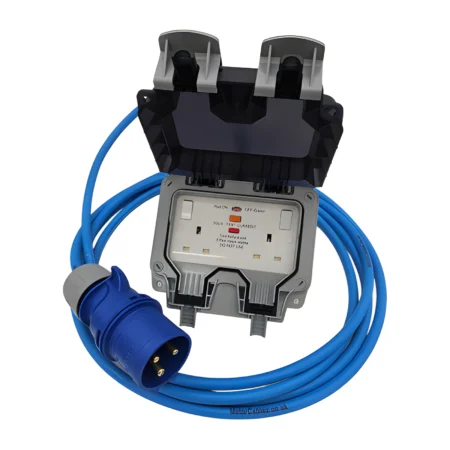
For the power side, read our motorhome and caravan hookup guide, browse 16A extension leads, or explore event and stage power cables. A hookup lead supplies the vehicle or installation; it is not a replacement for Starlink’s own low-voltage cable. Choose the connection and protection required by the site and equipment.
Can you pause Starlink Roam?
Eligible Roam services can use paid Standby Mode between trips. It provides limited low-speed connectivity rather than normal broadband. Check your account for the fee, eligibility and effective date.
Read pausing and restarting Starlink Roam for the account steps, billing checks and difference between pausing and cancelling.
Get £40 cash or Starlink service credit
Get £40 in cash or Starlink service credit when you sign up through our link. Fast, reliable internet at home and on the go. Terms apply.
The UK referral landing page displayed £40 when checked. Starlink’s current guidance requires an eligible new customer to order directly through the referral link, activate and remain subscribed for at least two months. Reward availability, cash selection and verification are subject to Starlink’s conditions. Retail purchases and account transfers do not qualify under the stated rules. Do not assume a Business or Priority order qualifies: confirm the offer on the exact plan before paying. See the referral conditions above.
Quick questions
Does Starlink Mini need a separate Wi-Fi router?
No for a basic nearby connection: Wi-Fi is integrated into Mini. Larger spaces, metal trailers and managed guest networks may need additional networking equipment.
Can I use Residential at different campsites?
Residential is a fixed-location personal service. Choose a permitted travel service for moving between locations, and check its coverage and travel rules.
Can a coffee van simply choose Roam Unlimited?
Do not assume so. The current terms exclude business use on that plan. Ask Starlink about an appropriate business service for POS and customer Wi-Fi.
Will it work instantly anywhere?
No. It needs power, an active compatible service and a suitable sky view. Test at each location and allow time for startup and updates.
Is paused service free?
The normal Standby option carries a monthly fee. Check your account for the applicable charge and restrictions.
Planning a longer stay away from fixed services? Explore living off grid with Starlink for van life, motorhomes, power planning and flexible service between trips.
Planning how to power your dish away from mains electricity? See Starlink Mini leisure-battery, car-battery and solar power for a tidy permanent installation and practical energy planning.